Free Photo Collage Maker for Windows
Shape Collage is a free collage maker for Windows PCs. It runs on your own computer, so your photos never leave it: no account, no uploads, no ads. It arranges hundreds of pictures into a collage automatically, in a rectangle or in any shape.
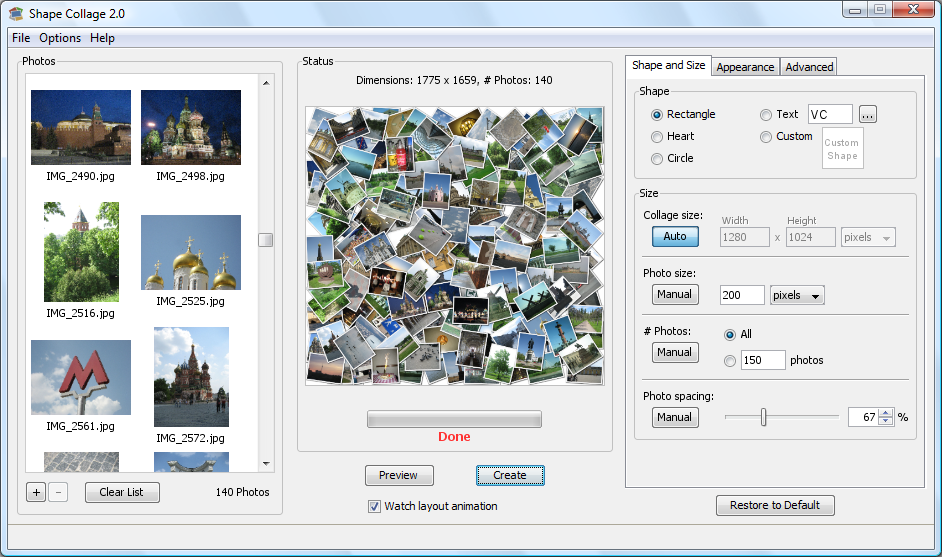 Shape Collage on Windows
Why a desktop collage maker?
- Your photos stay private: nothing is uploaded to a website.
- Hundreds of photos at once: drag in a whole folder; online tools usually stop at a few dozen.
- Large, print-quality collages: up to 200 megapixels, for posters and canvas prints.
- Works offline, and keeps working: no subscription.
- Any shape: hearts, names and words, numbers, or 200+ free shapes.
Install it
- Download Shape Collage for Windows (12.6 MB).
- Open the downloaded ShapeCollage-3.1-Setup.exe and follow the installer.
- If Windows shows "Windows protected your PC", click More info, then Run anyway. Windows shows this for programs from small publishers it doesn't recognise.
- Open Shape Collage from the Start menu and drag your photos in. See how to make a photo collage for the steps.
Free and Pro
The free version makes full-size collages in any shape, free for personal use with no time limit. Collages include a small watermark. Shape Collage Pro ($40, or $75 for commercial use) removes the watermark, lets you move photos by hand, saves Photoshop files with each photo on its own layer, and saves projects to come back to later. See the comparison.