Shape Collage Help
See the FAQ for answers to questions about Shape Collage, printing, errors, watermarks, license key issues, and more.
Instructional Video
How to make a collage with Shape Collage
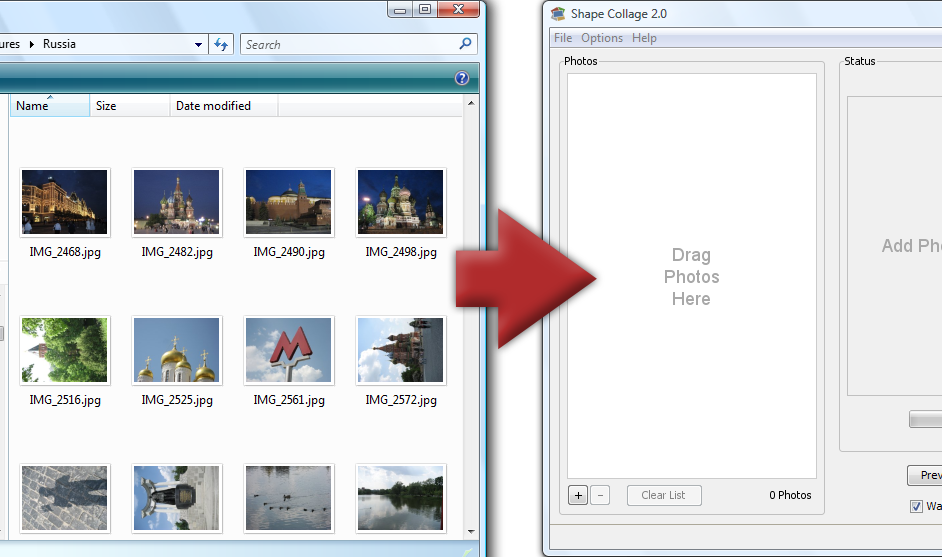
Step 1: Add Photos
Drag and drop photos or a folder |
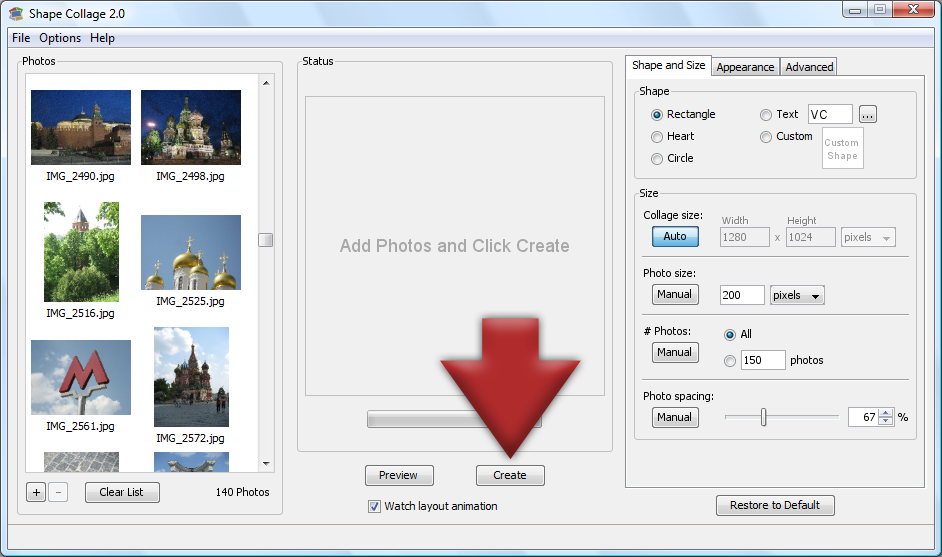
Step 2: Click Create
The collage will be automatically created |
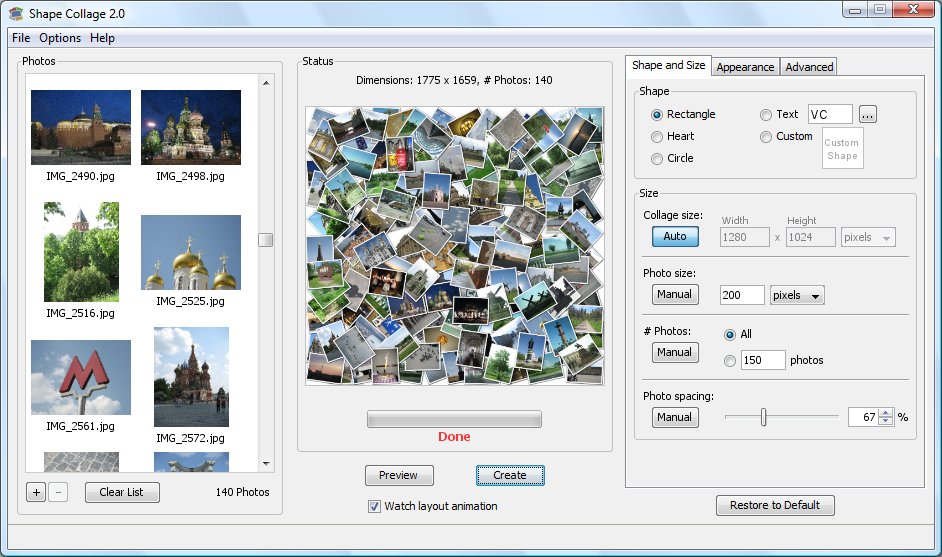
Step 3: Done!
Print it, post it online, put it in a scrapbook, or add it to a slideshow |
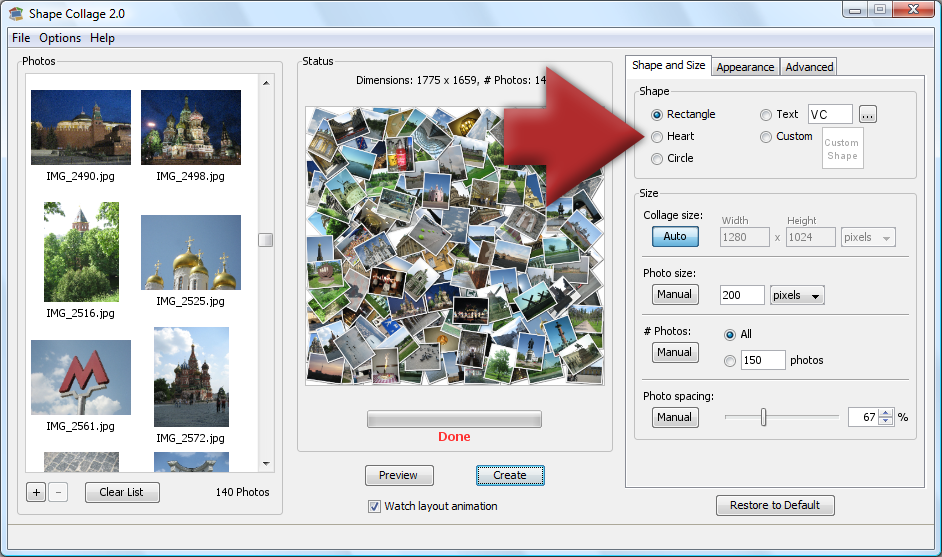
Bonus: Different Shapes
Make a heart, spell a word, use a symbol, or draw your own shape! |
Shape Collage Size Options
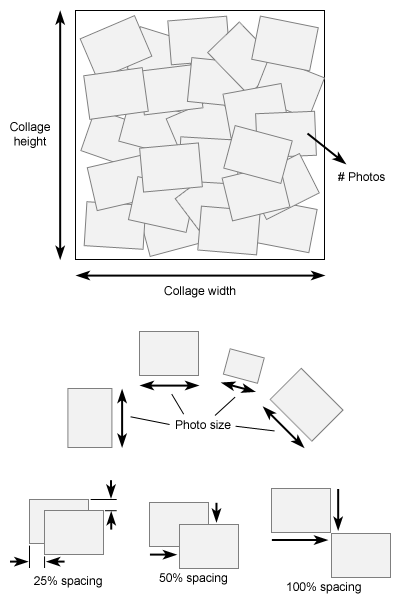
- Collage size
- Photo size
- # Photos
- Photo spacing
More Shapes
See the shapes gallery for some shapes that you can download and load into the "Custom Shape" window.If you want a more powerful drawing program than Shape Collage's built in drawing tool, you can create your own shape using any drawing program, such as Microsoft PaintBrush or Adobe Photoshop. Just save the black and white shape as a PNG file and load it in the "Custom Shape" window.
Advanced Techniques
Shape Collage can save collages in Photoshop PSD format, which puts each photo in its own layer. This is extremely powerful because it allows you to edit the collages made from Shape Collage in other programs.
Edit Collages
Watch this video tutorial to see how to edit the collage after you make it in Shape Collage. Combining the power of Shape Collage with an image editor like Photoshop or Gimp allows you to move photos around manually, rotate them, change the ordering of the photos, apply filters, and more!
Make a Collage Video
Make a cool video where the photos fly in to form a collage in any shape that you want. By using Shape Collage to make a collage in PSD format, you can import this into Adobe After Effects and make a video from the collage in just a few minutes.