Shape Collage Help
Quick Start
How to make a collage with Shape Collage
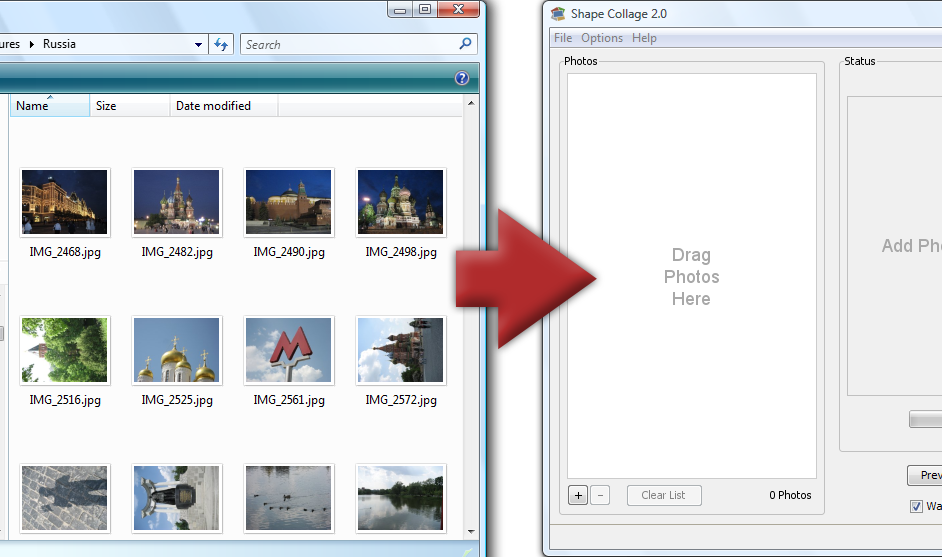
Step 1: Add Photos
Drag and drop photos or a folder |
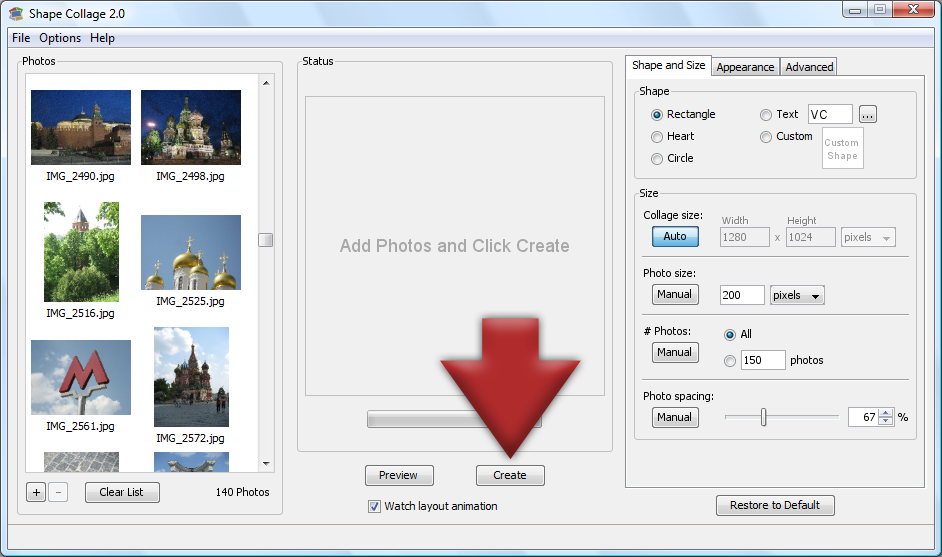
Step 2: Click Create
The collage will be automatically created |
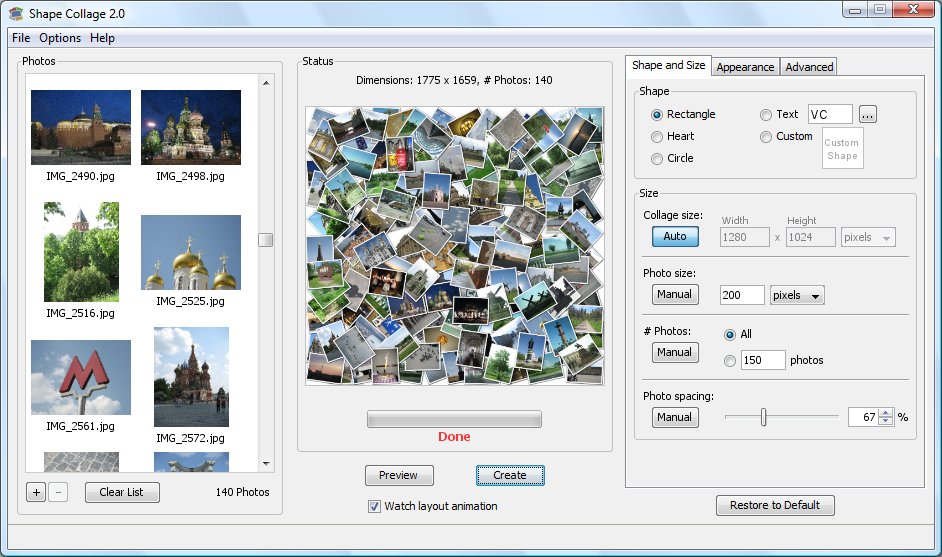
Step 3: Done!
Print it, post it online, put it in a scrapbook, or add it to a slideshow |
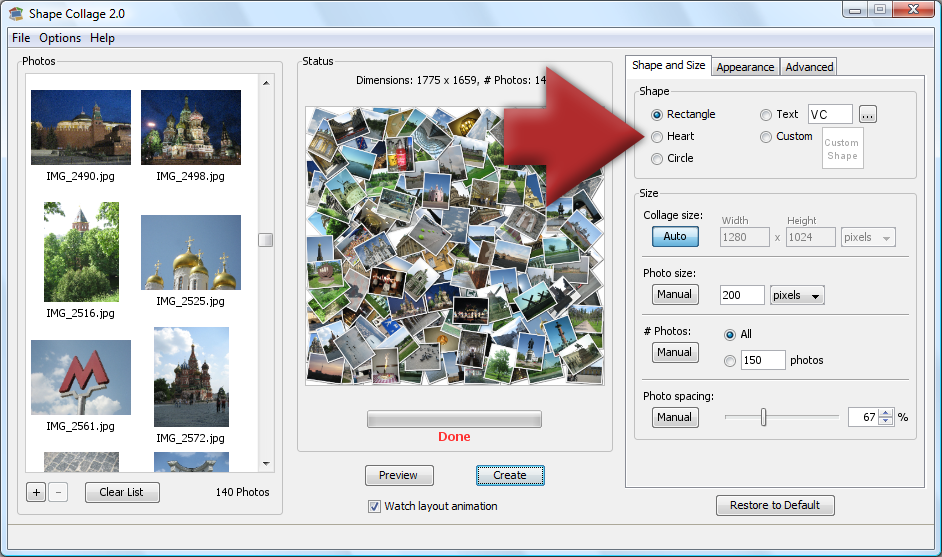
Bonus: Different Shapes
Make a heart, spell a word, use a symbol, or draw your own shape! |
Add Photos
- Drag & Drop
- Click "+" button
- File->Add Photos
- Add From Web
- Drag & Drop from Picasa and iPhoto
Shape
- Premade
- Text
- Draw
- Import
More Shapes
See the shapes gallery for some shapes that you can download and load into the "Custom Shape" window.If you want a more powerful drawing program than Shape Collage's built in drawing tool, you can create your own shape using any drawing program, such as Microsoft PaintBrush or Adobe Photoshop. Just save the black and white shape as a PNG file and load it in the "Custom Shape" window.
Size
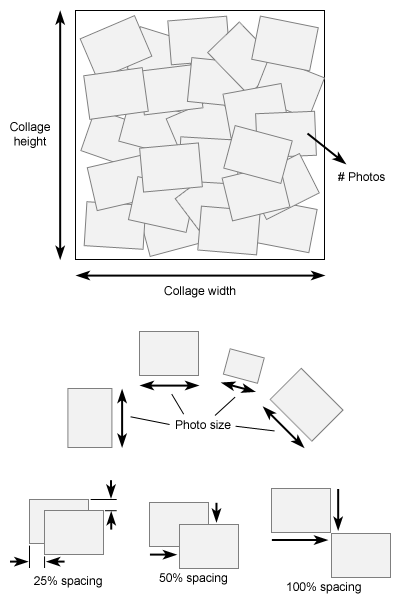
- Collage size
- Photo size
- # Photos
- Photo spacing
Customization
- Background: Color, Transparent, Photo
- Border Color and Size
- Rotation
- Shadows
- Jagged
Advanced Techniques
- PSD
- After Effects
Copyright © Shape Collage Inc.