Thank you for downloading Shape Collage for Windows
(Your software download should start automatically. If it doesn't, click here.)
Then Unlock Shape Collage Pro
This is the same download as the free version: entering your license key turns it into Pro.
Step 1: Open the Upgrade Window
Open the Shape Collage program and |
Step 2: Enter License Key
Enter your License Key into the box |
Step 3: Done!
The title of the program now says "Shape Collage Pro" |


Shape Collage Demo Video
How to make a collage with Shape Collage
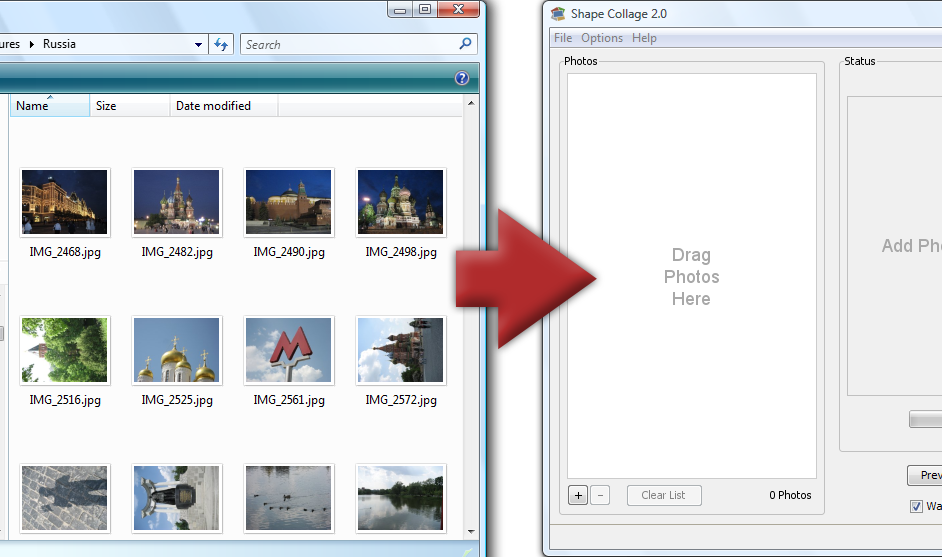
Step 1: Add Photos
Drag and drop photos or a folder |
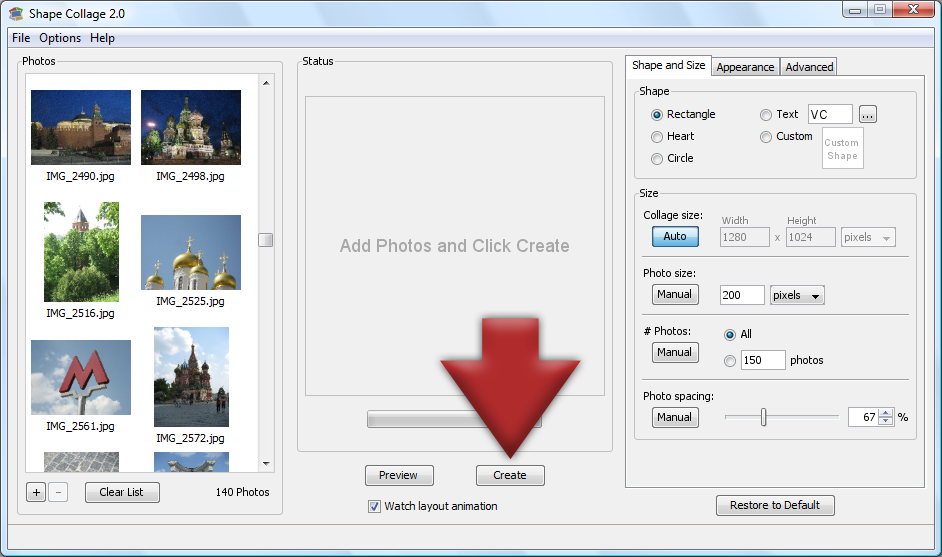
Step 2: Click Create
The collage will be automatically created |
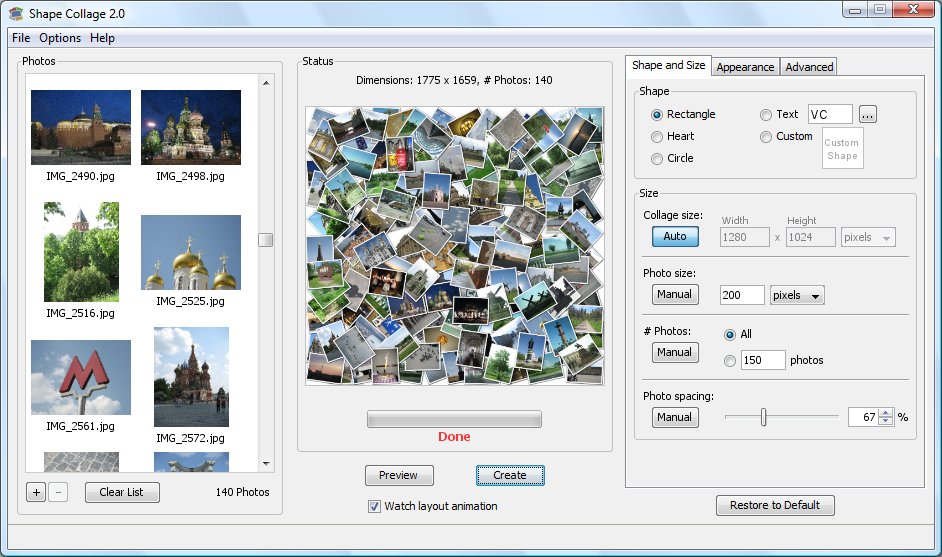
Step 3: Done!
Print it, post it online, put it in a scrapbook, or add it to a slideshow |
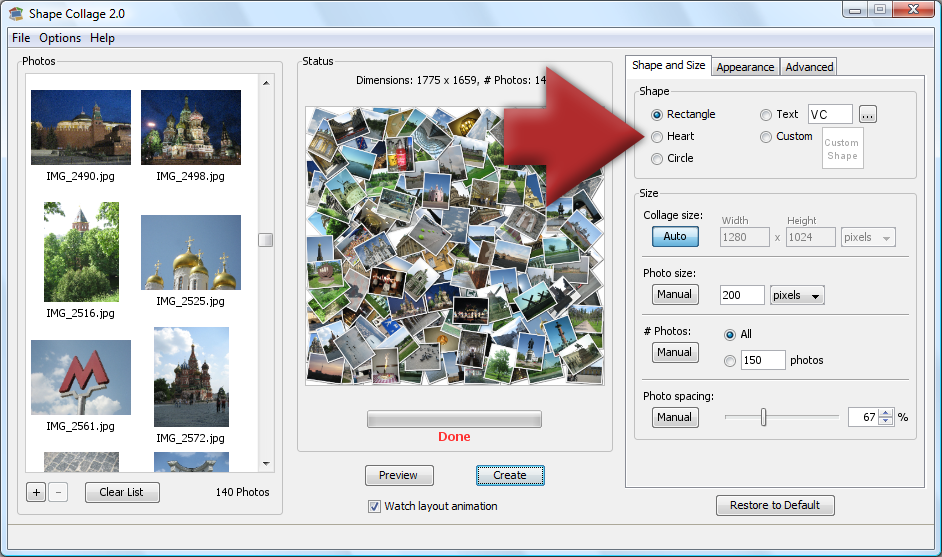
Bonus: Different Shapes
Make a heart, spell a word, use a symbol, or draw your own shape! |